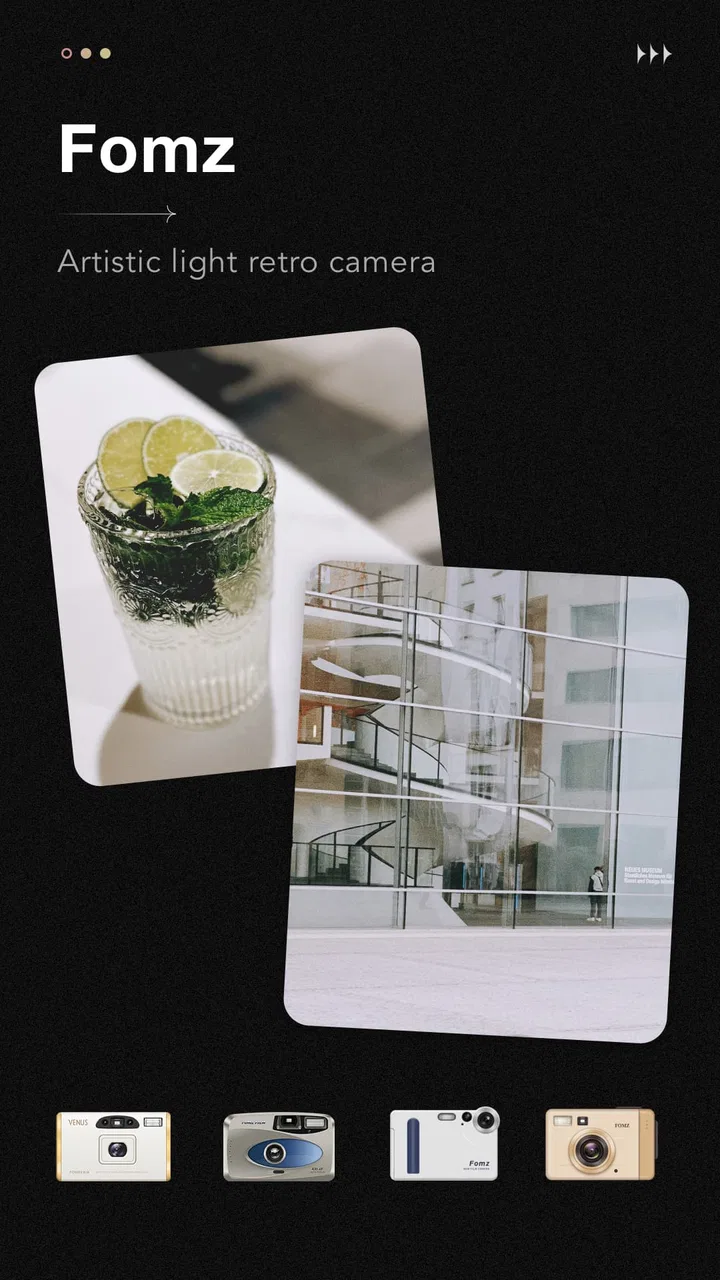
Fomz
- 4.6
- Rating
- 10.00M
- Installs
- Free
- Price

 Analysis by App-foxy
I like camera apps that give me a clear visual identity without forcing me to spend half an hour editing every picture. Fomz, made by MagicDmStudio, takes that approach with a retro-minded photography experience: instead of trying to replace a full manual camera or a complete photo editor, it aims to make ordinary shots feel more deliberate and stylized while they are being taken. After using it, I see it as a focused creative tool rather than an all-purpose camera replacement.
The app is free to download and use as an Android photography app, with optional in-app purchases listed from $1.99 to $9.99 per item. That distinction matters. You can try the basic experience without paying, but the most useful question is not whether it costs nothing to install; it is whether the free access already matches the kind of retro look you want. For casual users, it may be enough. For someone who wants a broader collection of visual treatments, the paid items become part of the decision.
How Fomz feels in everyday photography
The first thing I noticed is that Fomz encourages me to think before pressing the shutter. A normal phone camera tends to make every scene look clean, bright, and technically corrected. This app points in another direction. Its appeal comes from the feeling that the image is being shaped at capture time, not rescued afterward. That changes how I approach simple subjects such as a coffee cup near a window, an old building, a rainy sidewalk, or a friend waiting at a bus stop.
You May Also Like

 Google Keep - Notes and lists
Google Keep’s Quiet Growth Shows the Appeal of Simpler Notes
As mobile work gets busier, Google Keep keeps winning a simple contest: capture a thought quickly, find it later, and get on with the day.

 Blood Strike: 2.5 Anniversary
Blood Strike’s Loadouts Turn Every Drop Into a Tactical Gamble
A close look at Blood Strike’s custom loadouts: how fast access to signature weapons reshapes its battle royale rhythm, rewards preparation, and narrows the gap between fights.

 Pandora - Music & Podcasts
Pandora’s Music Is Easy to Start, but Harder to Recover
Pandora’s strength is its low-effort path from a seed to a station. Its weak spot is how much confidence it asks you to place in connection, setup, and quiet recovery.

 8 Ball Pool
 Is Built on Rivalries, Rematches, and Routine
A close look at the rivalries, rematches, shared routines, and unanswered safety questions that turn a quick pool match into a persistent mobile community.

 Samsung Music
’s Quiet Strength Is Playing What You Already Own
Its reach comes less from spectacle than from dependable access to a personal library. That simplicity is both the app’s strongest retention engine and its ceiling.

 AccuWeather: Weather Radar
AccuWeather Review: A Quick, Clear Forecast for Everyday Decisions
For everyday plans, the best forecast is the one you can understand quickly. AccuWeather makes rain timing, radar, and local conditions easy to act on, with a few trade-offs.
More From Our News Desk



That focus makes the app easy to understand. I do not open it expecting the extensive controls of a professional camera utility. I open it when I want a particular mood. The retro treatment is the central reason to use it, and the experience is strongest when the scene already has texture, contrast, or a slightly imperfect atmosphere. Flat office lighting and cluttered backgrounds are less likely to become interesting just because a vintage-inspired effect is present.
In practical terms, I would use it for a small visual diary, social posts with a consistent mood, travel snapshots, or photographs where atmosphere matters more than perfect clarity. It is especially suitable when I want the image to look like part of a set. Taking several pictures with the same creative direction can make a weekend trip or a personal project feel more coherent than a mixed camera roll made with unrelated filters.
A free starting point, with paid choices to consider
The free entry point is one of Fomz’s strongest advantages. I can install it without committing money, test it on the kinds of scenes I actually photograph, and decide whether its style suits me. That is a better arrangement than paying before discovering that the visual treatment is too strong, too narrow, or simply different from what I expected.
The optional purchases change the value calculation. A person who only wants occasional retro pictures may find the free experience perfectly reasonable and never need to buy anything. Someone who wants a larger creative range may see the individual items as a way to expand the app, but the value depends on how often those choices would genuinely be used. I would not buy several options immediately. I would first take the same subject in different lighting, review the results later, and identify whether I am missing a useful look or merely collecting effects.
That is also where the app differs from a subscription-heavy editing workflow. Fomz is easier to evaluate because the initial cost is zero, while the optional price range gives users a defined ceiling for individual purchases. Still, free access should not be confused with unlimited access to every creative possibility. If your goal is a large toolkit with advanced adjustments, you should compare the available experience with a conventional editor before spending.
What it does better than a standard phone camera
A regular phone camera is usually better when I need dependable exposure, fast focus, clean detail, and a neutral file that I can edit in many different ways later. Fomz is better when neutrality is not the point. Its value is in reducing the distance between taking a photograph and deciding what that photograph should feel like.
That difference is more important than it sounds. With a standard camera, I often take a technically acceptable picture and postpone the creative decision. Later, the image sits among hundreds of similar shots because I never get around to editing it. A focused retro camera can make me commit earlier. The result may be less flexible, but the workflow is quicker and more intentional.
Compared with a general filter editor, Fomz also has a more direct photographic identity. An editor is usually the better choice when I want to correct a photo, adjust several separate elements, or create different versions from one original. Fomz makes more sense when the look is part of the act of taking the picture. That is a meaningful trade-off: I gain immediacy, but I give up some post-capture freedom.
Three ways I would use it beyond casual snapshots
My first practical workflow would be a “same route” photo diary. I could photograph the walk to work or school from the same few points over several days, keeping the visual treatment consistent. The retro character would help the series feel connected, while the repeated locations would reveal changes in weather, light, and routine. This is more satisfying than using the app for one isolated novelty image.
A second use is preparing a small batch of images for a personal event. Before a birthday gathering, market visit, or short trip, I would decide on one visual direction and use Fomz for the whole set. The important tip is to avoid switching styles every few minutes. Consistency usually creates a stronger result than choosing the most dramatic effect for every individual scene.
A third use is photographing objects that already carry age or texture. Books, furniture, film cameras, worn signs, handwritten notes, and old storefronts can work particularly well with a retro treatment because the subject and the visual language support each other. On a modern glass table under bright white lighting, the same treatment may feel artificial. The app cannot supply atmosphere that the scene does not offer.
Small habits that improve the results
I found it useful to check the light before judging the app. Strong backlighting, very dark corners, or mixed indoor bulbs can make any stylized camera look unpredictable. When I want a dependable result, I look for soft side light and a simple background. That gives the retro character something to enhance instead of asking it to hide every weakness in the scene.
I would also avoid treating every photograph as a finished masterpiece. The app is more enjoyable when I take a few variations: one wider frame, one closer detail, and one with the subject placed off-center. Retro styling can make a picture feel finished quickly, but composition still decides whether I want to keep it. The most attractive treatment cannot fix a distracting background or a subject that is too small.
Another useful habit is separating experimentation from important photography. For a once-only moment, I would use the phone’s normal camera as a safety option and then make a stylized version with Fomz. That gives me a clean record as well as the creative interpretation. It is a sensible compromise when the image matters more than the effect.
Where the experience can fall short
The focused design can also feel limiting. If I want to photograph a fast-moving subject, preserve maximum flexibility, or make careful corrections afterward, a conventional camera app is the safer choice. A stylized capture is a creative decision, and creative decisions are not always easy to undo. This is particularly important for family events, important documents, or anything I may need to crop and reuse in several formats.
The retro look will not suit every subject either. It can add character to architecture, objects, streets, and portraits with a clear mood, but it may be a poor fit for product images where accurate color matters. It is also not the app I would choose for a clean professional headshot, a precise food photograph, or a neutral record of a purchase or receipt.
There is a learning curve, even though the basic idea is approachable. The challenge is not understanding that the app creates an artistic look; it is learning when that look helps. New users may initially apply it to everything because the result feels different. After a few sessions, I think most people will get better results by choosing scenes that already have visual personality.
The purchase model can create its own friction. Since optional items range from $1.99 to $9.99 each, I would pay attention to what I am actually using rather than treating every available option as necessary. The free version is valuable as a trial, but the paid value depends on whether a specific addition becomes part of my regular workflow. A rarely used effect is not a bargain simply because its individual price is modest.
Compatibility and the practical audience
Fomz runs on Android devices using version 7.0 or later, which makes it accessible to people using older supported phones as well as newer models. The current version is 1.2.8. I would still judge the experience on the phone I plan to use, because camera behavior can vary between devices, especially when lighting is difficult. The software requirement is straightforward, but the quality of a camera workflow is always tied partly to the hardware underneath it.
The app is rated for Everyone, so its concept is easy to approach for a broad audience. That does not mean every person will enjoy the same visual style. A teenager looking for expressive social images, a hobby photographer building a themed collection, and someone who simply wants a more distinctive travel album may all find a reason to try it. A photographer who wants extensive manual control or a neutral capture pipeline should look elsewhere.
Its popularity also suggests that the concept has reached a substantial audience: Fomz has passed ten million installs and holds a 4.5 average from around eighty-two thousand ratings. I treat that as useful context rather than proof that it is right for everyone. A large audience confirms that the idea resonates, but it does not replace trying the free experience with your own subjects and lighting conditions.
Who gets the most value from it?
I would recommend Fomz first to people who want their photos to have a recognizable mood without learning a complex editing program. It is a good fit for someone who enjoys taking pictures of everyday details and wants those details to feel more personal. It also works for creators who prefer making a visual decision while shooting instead of building every image afterward.
It is less suitable for users who mainly want technical reliability. If your priority is the sharpest neutral image, accurate color, broad editing flexibility, or dependable documentation, the phone’s built-in camera will probably serve you better. The same is true if you already have a favorite editor and enjoy adjusting exposure, color, and crop with precision. In that situation, Fomz may add a pleasant alternative, but it will not necessarily improve your established workflow.
For families and travelers, I see the best approach as using it alongside the default camera rather than replacing it completely. Use Fomz for atmosphere and the ordinary camera for moments where flexibility matters. That two-camera habit avoids the frustration of discovering later that a stylized image is the only record of something important.
My buying decision after using it
I would start with the free version and spend nothing until I had used it across several types of scenes. The right test is not one attractive sunset. I would try indoor light, daylight, people, objects, and a moving subject, then look at the results the next day. If the app consistently produces pictures I want to share or keep, an optional purchase may be worthwhile. If I only enjoy the first few novelty shots, I would stop there.
That makes the value proposition refreshingly simple. Free access lowers the risk, while the optional purchases are best treated as targeted additions rather than an automatic requirement. I would not describe the app as a replacement for every photography tool, and I would not buy it for technical control. I would choose it for the specific pleasure of creating a retro-looking image at the moment I take it.
Overall, Fomz is a focused photography app with a clear personality. MagicDmStudio has built something that can make routine scenes feel more considered, especially when I use it with texture, soft light, and a consistent project in mind. Its limitations are closely connected to its appeal: the more decisive the style, the less neutral and flexible the result becomes.
My recommendation is to try it if you want a free way to explore artistic retro photography and are comfortable judging each paid option by real use rather than impulse. Skip it if you need a dependable all-purpose camera, precise color, or extensive editing controls. For the right user, the strongest value is not the number of effects but the way the app encourages a more intentional approach to ordinary photographs.
FAQs for Fomz
01What is Fomz and what features does it offer?
Fomz is an innovative camera app designed to enhance your photography experience with a variety of filters and editing tools. It offers features such as vintage filters, customizable templates, and easy-to-use editing options that can transform ordinary photos into stunning visuals. The app is user-friendly, making it suitable for both beginners and experienced photographers.
02Is Fomz free to use or does it require a subscription?
Fomz offers a free version with basic features, allowing users to explore and enjoy its functionalities without any initial cost. However, to access premium features, such as exclusive filters and advanced editing tools, a subscription is required. This subscription can be purchased on a monthly or annual basis, providing flexibility to users.
03What are the system requirements for installing Fomz on my device?
To install Fomz, your device should be running on Android 5.0 or later or iOS 11.0 or later. The app is optimized for both smartphones and tablets, ensuring a smooth user experience. Ensure you have sufficient storage space available for the app and any additional content you might download.
04Does Fomz offer support for sharing photos on social media platforms?
Yes, Fomz includes integrated sharing options that allow users to easily post their edited photos directly to popular social media platforms such as Instagram, Facebook, and Twitter. This feature streamlines the process of sharing your creations with friends and followers, making it a convenient choice for social media enthusiasts.
05How does Fomz ensure user privacy and data security?
Fomz is committed to protecting user privacy and data security. The app employs encryption to safeguard user data and adheres to strict privacy policies. It does not store or share personal information without consent. Users have control over their data and can manage privacy settings within the app, ensuring a secure experience.
Pros
- Intuitive user interface for easy navigation.
- Wide range of creative filters available.
- Seamless integration with social media.
- Fast photo processing and editing.
- Regular updates with new features.
Cons
- Limited free features without subscription.
- Occasional lag on older devices.
- In-app ads can be intrusive.
- Some features require internet connection.
- Limited support for high-resolution images.

Fomz
Gallery